Artificial Reefs - Data Files
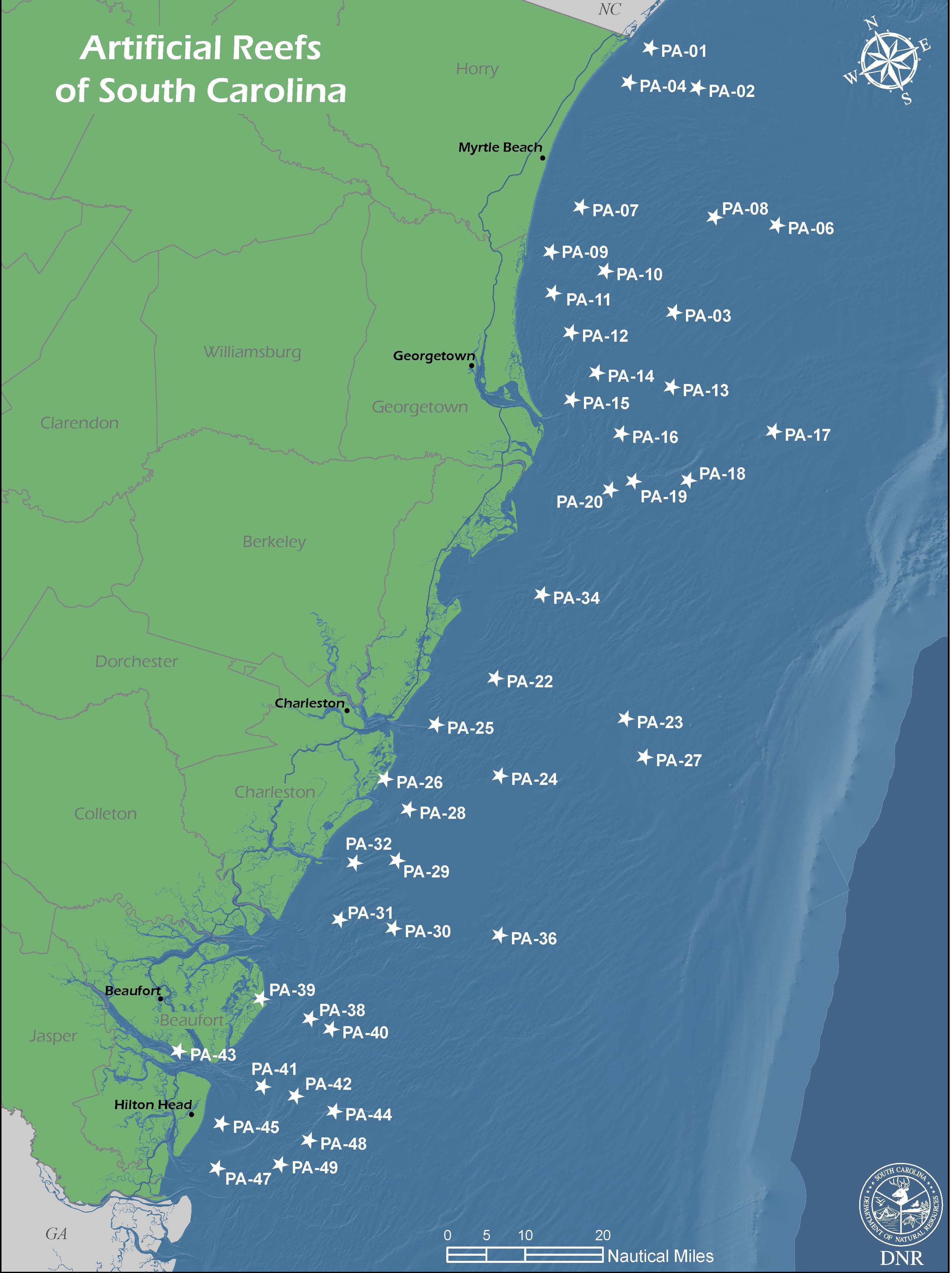 Please reference the manufacturer's manual for information on how to download and store
data when importing data to your device. Data is available for download at no cost from DNR's ftp site. Last updated March 2021.
Please reference the manufacturer's manual for information on how to download and store
data when importing data to your device. Data is available for download at no cost from DNR's ftp site. Last updated March 2021.
If you have any questions about the file types and functionality, please contact Joey Coz at CozJ@dnr.sc.gov or (843)953-9588.
Please Note:
To export the files below follow the following download instructions:
Right click on the file name then select 'Save Target As' or 'Save Link As'
Downloads Available
| Type | Notes | Recommended File |
|---|---|---|
| Lowrance/SIMRAD | ArtReef2021_LowranceSIMRAD.zip | |
| Garmin | File type contains abbreviated waypoint names and descriptions for compatibility with Garmin 4xxx, 5xxx, 6xxx, and 7xxx series devices. | ArtReef2021_Garmin_Abb.zip |
| Full detail file for all other Garmin devices | ArtReef2021_Garmin.zip | |
| Other Devices | ArtReef2021.zip | |
| CSV File | The CSV file allows users to view the artificial reef coordinate data using Microsoft Excel | ArtReef2021.csv |
| Google Earth | ArtReef2021.zip | |
| GIS Layer Shapefile | ArtReef2021_shp.zip | |
| GIS Layer File Geodatabase | ArtReef2021_GeoDB.zip |
Interactive Web Map
This interactive map application shows the location of marine artificial reefs overlaying a basemap for the state of South Carolina. Contains additional information regarding reef structures and more.